My Main Blog Can Always Be Found Here

Wednesday, February 16, 2011

Fix It For Me Wednesday: Good to Amazing

This week's picture came from the wonderful host of Monday Mugs... and I just realized I don't know if she ever uses her real name on her blog-so the nameless beauty of Oswald Cuties :)

She is a very good photographer who is getting better all of the time because she is always getting out there and shooting.

This tutorial will show how when you have a very good picture to start off with, how easy it is to make it outstanding.

She took the following picture of her daughter and loved it and asked if I could give it that little extra something.
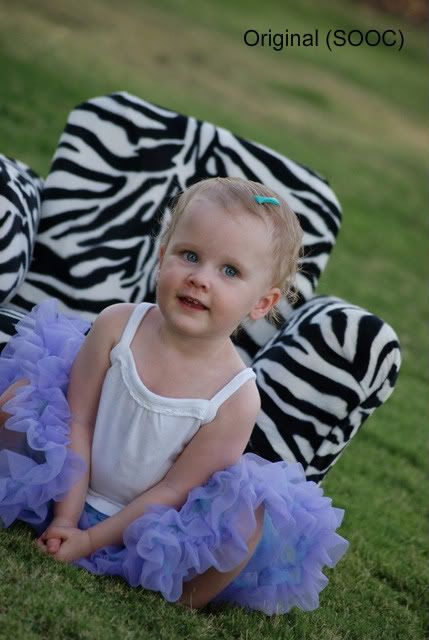
And then after just a few fixes
So how did I get to my fix?

She had a bit of a rash on her face and a runny nose, so I first used the retouch brush in iPhoto. Most programs have a retouch brush that you just click over the area you want fixed, so easy.

Then I took the picture into light room and the following is all I did.

1- Increase black clipping (sliding bar by the word black) +6
I did this as the little triangle on the left side of the histogram was not lit up and so I increased the black a little

2- Increased the brightness +61

3- Used a brush-Wow Eyes Sharpen and did one quick swipe over each eye

4- Used the Brightness brush, increased the size of the brush and swept it once over the left side of her face as it was a little too shadowy

5- Used Preset- Semi Fix the Flat

6- Increased the Vibrancy

7- Decreased the red saturation to -27

So 7 steps may sound like a lot-but it took me at most 4 minutes, probably less to make this fix.

Obviously, the less time you can spend fixing a picture the better off you are. So when you start with a great picture it is so much easier.

And she actually sent me a couple of pictures asking if I could fix one or both, and since the fix was so easy and fast, here is the second picture I did just for fun.



Have a picture you would like me to fix?
Send me a picture at photo (at) emmymom2 (dot) com

Just be advised I have about three more pictures waiting, so it will be about one month until your edit is done.


Monday, February 14, 2011

Monday Mugs

This week's Monday Mug's is over on my main blog, you can find it here.

See you Wednesday for my next Fix it For Me Picture.

Thursday, February 10, 2011

You Capture: Cold

When I saw the You Capture topic for this week- "cold" I thought, huh? It is in the mid 70's here, this one might be tricky.

But then I woke up the next morning to this
yes that is real frost on the grass-it does get chilly in the morning

And Alex-well she was complaining she was cold

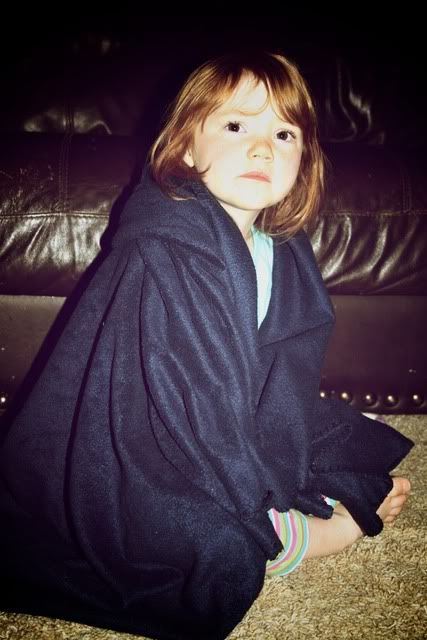
And nothing says cold like a long sleeve flannel shirtand yes he was really wearing this-it was only in upper 50's this day-brrr!

Don't hate!

Grab your blankets, some hot chocolate and head over to I Should Be Folding Laundry to see more cold pictures.
Photobucket

And head over to my main blog for an interesting thought about the biggest number and the national debt.

Wednesday, February 9, 2011

Fix It For Me Wednesday: Presets

This week's picture was sent to me by someone who I was lucky enough to "meet" as we were partnered for a Christmas Swap. Mandy of Mandy's Marvelous Musings sent me this cute picture of her nephew.

To edit this picture I used both Aperture-as I do love the sharpening tool in it and mostly Lightroom. Really, one of these weeks I will use something else promise! So here are the original and finished pictures top to bottom.


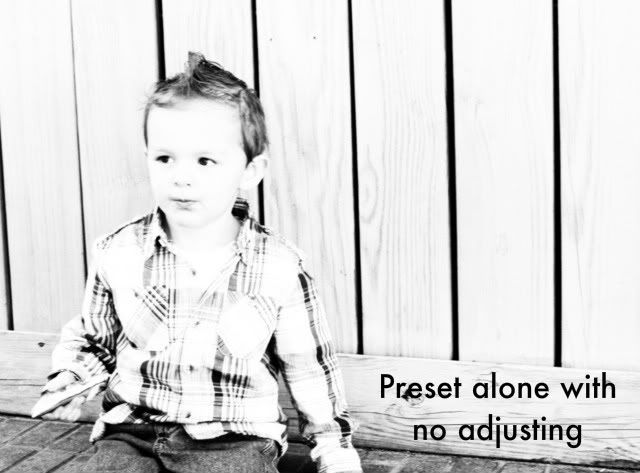
The original picture wasn't completely sharp, her shutter speed was probably not quite high enough for the amount of light. So something I find that can often work for pictures that aren't as sharp as you want them is to make it black and white.

One of the great things about Lightroom is a lot of the presets that you can get for it. Sometimes though when you click on a preset you might think it isn't quite right.

So I first cropped the picture just a tiny bit-to help it fit the rule of third's a bit better. And then I used the preset B&W Creative-Look 2 and this is what I got

Obviously way overexposed. Now at this point I could either undo this and chose a different preset or I can just work with this, which is what I did.

I then went and decreased the exposure by almost a whole stop (.75), I adjusted the highlight recovery and then continued just playing with the exposure a bit. I also sharpened the picture a bit (almost always a must for any picture you will be showing online anyway), added some clarity, and then added a slight darkening vignette around the edges.

And just for fun here is the same picture with the Preset Summer love and some vignette
So quick easy fixes, mainly using just presets that can make a very cute picture totally adorable.

Monday, February 7, 2011

Weekend Fun With the Family

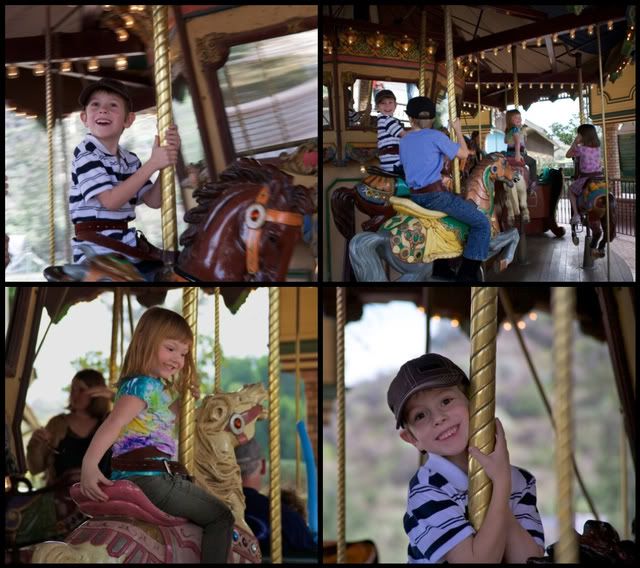
Well I am obviously not participating in Oswald Cuties or iHeartfaces this week, but hey this is my blog. We had a great weekend, you can read more about it here; but I just wanted to post some more pictures from our fun afternoon.Worth the money for the ticket for the merry-go-round for those smiles

These tractors went so slow-but the kids still loved them

Panning for minerals-as my kids kept saying

And who doesn't love a big rooster??

Hope you had a fun weekend too!

Thursday, February 3, 2011

You Capture: Red

Photobucket
It's Thursday-time for You Capture! This week's theme is "red". When I first heard this theme, I thought what in the world can I take pictures of... as well I don't have a lot of red things in my house; after all my blood runs True-Blue (go BYU Cougars!)

But then Sunday morning we were sitting around after church. Ryder was playing on the floor, Lucas was driving his train... and I saw it.. red.

And I have started getting out the few Valentine Decorations I have
(I love the reflection!)
And when you have a red-headed daughter there is always red.. and my husband's shirt was redish, and who doesn't love a double-piggy back ride from dad!
So head on over to I Should Be Folding Laundry and seem more great "red" pictures.

Wednesday, February 2, 2011

Fix It For Me Wednesday: Underexposed

Well this posting a bit late but all of the snow delayed me.... sorry bad joke. I did grow up in the Midwest though and seeing all of my FB friends pictures seriously made me expect to see snow out of my window this morning.

The picture I was asked to fix today is one that is very special to this couple and well I will just let her tell you why.
It turned out super dark and normally I would just say oh well, except that this picture and pose look almost exactly like a picture we took moments after we got engaged. From the Christmas tree, to the pose, to the colors we're wearing, it's almost like the same picture just flash forward 6 years. So I'd love to put them in a frame together.
So after reading that, of course I wanted to help! I decided that I would just try and fix the color and exposure as much as possible without giving it a totally different look so it could match the first picture better.

So the first is the picture Mary sent me and the second is with my fixes. I used Lightroom again for these edits. When I first started working on the picture, I simply tried just bumping up the exposure and brightness, but that led to the faces just looking all weird and the colors weren't quite right.

So I first added more fill light (+26)- the fill light is the background light. And then increased the exposure by +.25. After adding more light, the picture started to look really grainy or had a lot of noise. So I went to the Noise Reduction area and added luminance smoothing and detail, but I also sharpened the picture a bit at the same time. I then went in and brushed in some more exposure to their faces only. I sharpened the eyes with the Wow Eyes sharpen brush, and got rid of the glasses glare with the clone brush. And finally did a preset I love WOW b-Auto-Tone+Crv 04.

So all of that summed up in English.. sometimes with dark pictures, you simply can't just increase the exposure or brightness, but might have to do it in selective areas. Also, as you increase the brightness and exposure you are going to get a lot of noise or grain in the picture--so try your best to get the right exposure out of camera as it makes your life easier.

As always, if you would like me to fix up a picture or if you have a picture you love but want it to be black and white or an antique look or some other look email me the picture at fix (at) emmymom2 (dot) com

And Mary-I will email you the fixed picture.