My Main Blog Can Always Be Found Here

Monday, July 18, 2011

iHeart Faces: Props

It has been forever since I have done anything with this blog.. I am still taking pictures, just haven't had time to keep up this blog-too busy with life and my main blog.
iHeartfaces

I already did a post on my main blog today, but when I saw the iHeartfaces theme, I knew I had to participate. This week's theme is props, and I knew immediately what picture I wanted to use.
When I saw this hat at Ross- I was so excited as I knew it would make the perfect prop for my son's 1-year-photo shoot. It was tricky keeping it on him- but oh it sure made for cute pictures.

Head over to iHeartfaces to see other great prop pictures.

Wednesday, March 23, 2011

You Capture: Youth

I know I usually do You Capture on Thursdays-but well I didn't get any photos "fixed" and so I am doing this today instead.
Photobucket

This week's You Capture Theme is Youth

Youth is

Getting totally messy while you eat and not caring one bit
found in favorite childhood toys and all the memories that comes with it
And Youth is

Little ballerina feet and tutus
Head over to Beth's to see some more Youthful pictures.

Wednesday, March 16, 2011

How To Edit Pictures in Lightroom 3

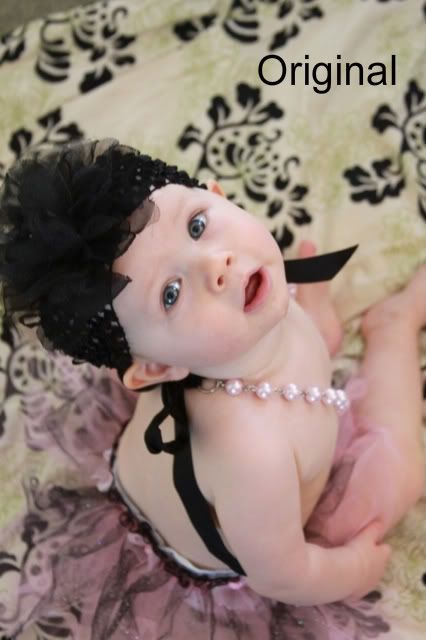
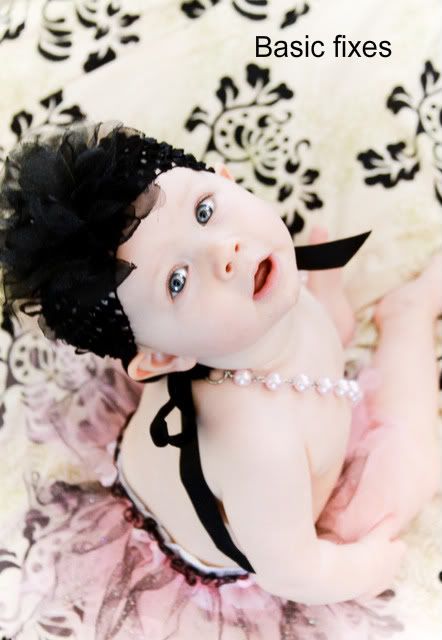
This week for my Fix it For Me Wednesdays, I am going to show you how I edit pictures using Lightroom 3. I decided rather than just tell you what I do, I would show you. So first here are the before and afters-the after is a slightly different than the one I showed on Monday as I started over from scratch to show you how Lightroom 3 works.

BEFORE
AFTER
And how I am going to show you how Lightroom 3 works? With this video tutorial. It is a bit long, but if you are interested in photo editing you should enjoy it. You might want to click to view it larger to see the details better.

Monday, March 14, 2011

Monday Mugs: Green


Okay I wasn't going to post today, but when I got Ryder dressed I put him in a green shirt and then I remembered I had some pictures I love from when he was wearing that same shirt. And since the theme for today's Monday Mugs is green... well here ya go.


And the best part--on Wednesday I am going to show you how I got the picture to look like this, with my fix it for me Wednesday.

Do you want to see the original?
Come back here on Wednesday.

Monday, March 7, 2011

Monday Mugs: Dinner

Okay, I am finally back here. Yes, I missed a Fix it For me Wednesday last week... last week was a beyond crazy busy week and well today is Eric's birthdays and my in-laws are here visiting so this week is just as busy.

But I did want to participate in today's Monday Mugs-whose theme this week is "dinner" as last night, we began celebrating Eric's birthday with a big family dinner (22 people)

Eric likes food, especially meat so we made sure we had a feast he would like

Some of the spread
Dinner consisted of three different types of meat-including Ribs, fruit platter, rolls, twice baked potatoes and a green salad... and of course a cake, but you have to head over to my main blog to see the cake I made for Eric.

If you want to see more great dinner pictures, head over to Oswald Cuties for Monday Mugs.

Monday, February 28, 2011

Monday Mugs: Whatever I Want


How could I not participate in this week's Monday Mug's Theme, it is Whatever I want

But with no constraints it suddenly almost seemed hard, so I went to my last picture folder and picked two of my favorite pictures.

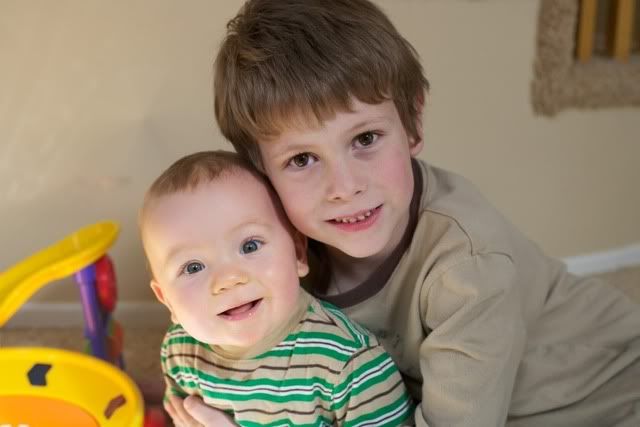
My two boys and I am so glad my big boy is willing to hop in a picture for me, unlike his little sister

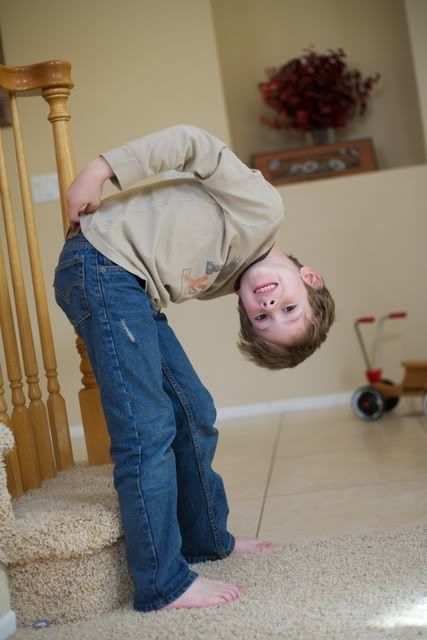
he even asked me to take a picture of him like thisThanks Lucas, for making this picture taking mommy happy!

Head over to Oswald Cuties for more great pictures!

Wednesday, February 23, 2011

Fix It For Me Wednesday: Lots of Looks

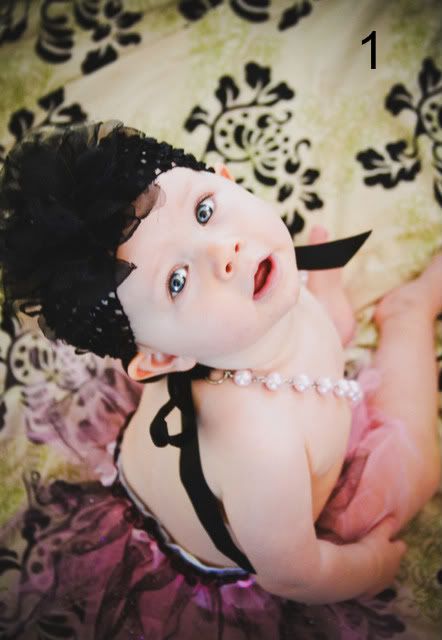
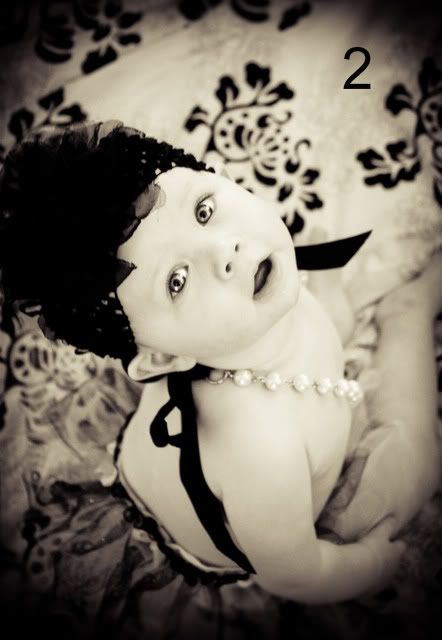
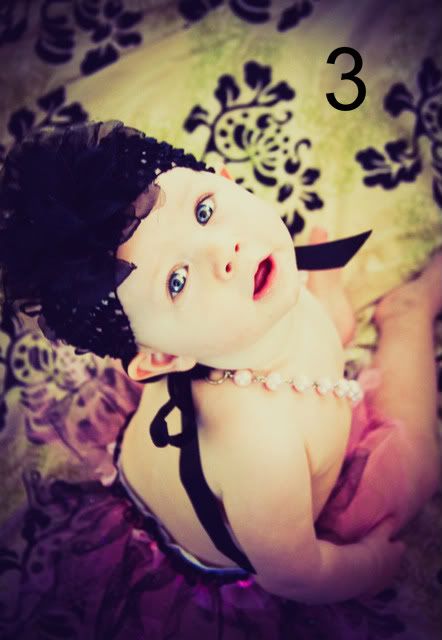
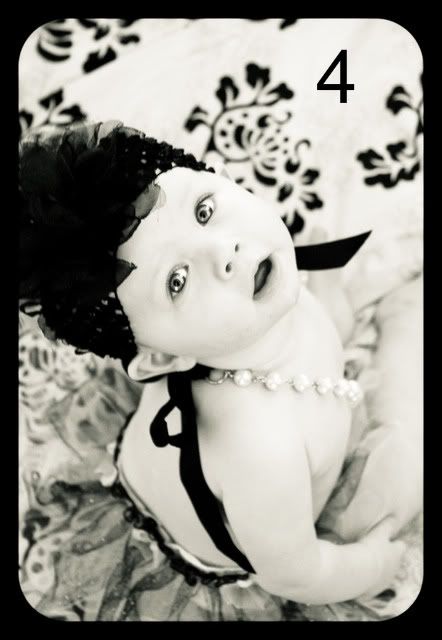
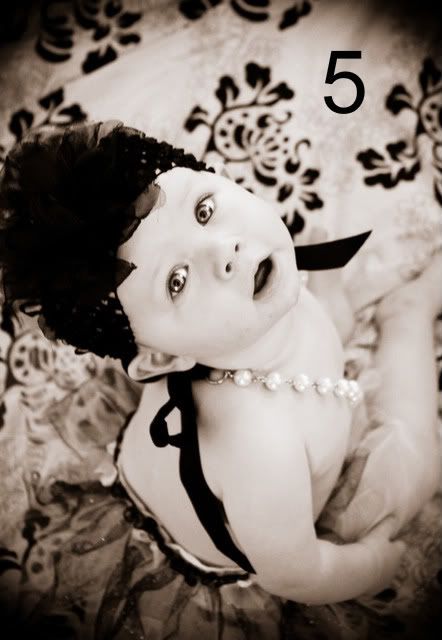
This week's picture came from my good from Em (Emily-awesome awesome name) of Emilisq. She has been one of my long time blogging friends. She sent me this adorable picture of her daughter that her friend actually took. Today, rather than go through a step by step-I want to show you how drastically a picture can change and how with simple presets available for Lightroom can change the look of a picture with one click.

Whenever I am going to be trying lots of different looks to a picture, I always "fix" the picture first. Fix the exposure, sharpen the eyes, get rid of any blemishes (which there weren't any on this baby), do any cropping. Basic things that I know I will want to be fixed no matter what look I give the picture.

In this picture, besides the eye sharpening, etc, I extended the blanket in the upper left hand corner, I increased the exposure a lot and also decreased the red saturation quite a bit to get that creamy white skin that is popular on babies in pictures currently.

And then I just started to have a little fun


1- Preset: Summer Love (by Pretty presets)
2- Preset: Old Hoga B&W
3- Preset: Kiss & Tell
4- Preset: B&W Bliss and Black Border (by Pretty Presets)
5- Preset: Mocha And the Preset Vignette

Before I applied any of these presets, I went back to my fixed picture and started from there. In a lot of ways I think #3 is my favorite-the coloring just really seems to work for me with the whole look of the picture. Obviously I would not want to give this look to an entire session, but for a single picture here and there it is awesome.

Which is your favorite?